

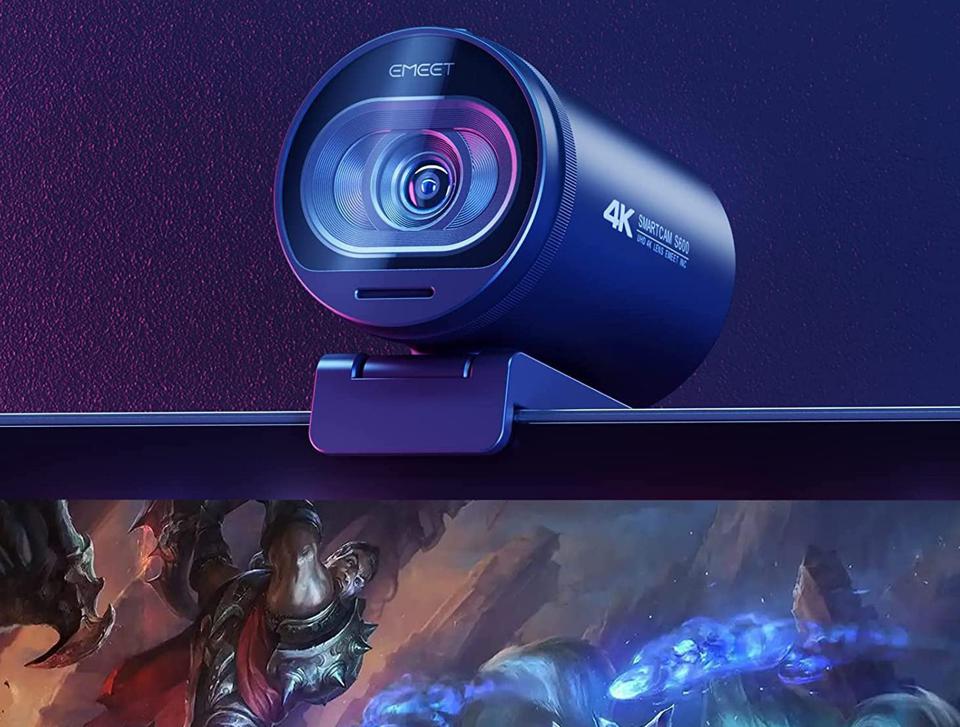
Modern creators don’t just need a webcam — they need a camera that looks natural, reacts quickly, handles lighting shifts, and doesn’t distract viewers with focus hunting or grainy footage. The EMEET S600 4K Webcam enters a crowded market promising sharp detail, smooth motion, intelligent autofocus, and clear audio. But does it actually deliver where it matters?
This guide isn’t written like a sales page. Instead, it breaks down real-world performance, usability, strengths, limitations, and ideal use cases so you can make an informed decision. Whether you’re streaming gameplay, hosting meetings, teaching online, or creating content, this deep dive explains exactly what to expect.
Quick Answer (Featured Snippet Optimized)
The EMEET S600 4K Webcam is a premium streaming webcam featuring a Sony sensor, PDAF autofocus, 1080p 60fps output, dual noise-reduction microphones, and a privacy shutter, designed for creators, professionals, and streamers who want reliable, smooth, natural-looking video.
Table of Contents
- Overview
- Key Specifications
- Design & Build Quality
- Video Performance Analysis
- Autofocus Technology Explained
- Audio Quality Test
- Real-World Use Cases
- Lighting Performance
- Comparison vs Typical Webcams
- Who Should Buy It
- Pros & Cons
- Setup Guide
- Optimization Tips
- Buying Considerations
- Final Verdict
- FAQs + Schema
Overview — What Makes This Webcam Different?
Most webcams compete on resolution alone. The S600 competes on real usability factors:
- focus speed
- color accuracy
- motion smoothness
- noise handling
- reliability
These factors matter more than resolution for professional-looking video. A webcam can claim 4K, but if autofocus is slow or lighting shifts ruin exposure, the experience suffers. This model aims to fix those common weaknesses.
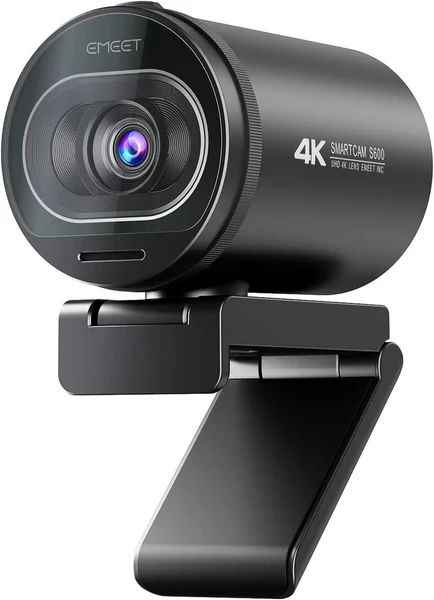
Key Specifications Snapshot
| Feature | Detail |
|---|---|
| Sensor | Sony 1/2.55″ |
| Max Capture | 4K |
| Streaming Output | 1080p @ 60fps |
| Autofocus | PDAF |
| Field of View | 73° |
| Microphones | Dual noise reduction |
| Privacy | Built-in shutter |
| Mount | Adjustable hinge |
| Connection | USB plug-and-play |
Design & Build Quality
The S600’s physical design follows a simple philosophy: professional without distraction.
It uses a matte finish body that prevents reflections. This matters because glossy webcams can reflect light sources and become visually distracting during recordings.
Build Highlights
- sturdy hinge mount
- stable positioning
- compact footprint
- integrated privacy cover
The hinge deserves credit. Many webcams loosen over time, causing camera droop. The S600 maintains its angle even after repeated adjustments.
Video Performance Analysis
Color Accuracy
The camera produces balanced tones rather than exaggerated saturation. Skin tones appear realistic, which is essential for:
- live streaming
- video calls
- tutorials
- beauty content
Many webcams oversaturate reds or crush shadows. This model keeps contrast controlled and highlights natural.
Sharpness & Detail
Thanks to the Sony sensor, detail retention remains strong even when lighting isn’t perfect. Textures such as hair strands or fabric patterns stay defined rather than turning into soft blur.
Motion Smoothness
The 60fps output is where this webcam stands out. Movement looks fluid, not jittery.
This is especially noticeable during:
- hand gestures
- gaming streams
- presentations
- demonstrations
Higher frame rate often matters more than higher resolution because motion clarity improves perceived quality dramatically.
Autofocus Technology Explained (PDAF)
Definition:
Phase Detection Autofocus (PDAF) is a focusing method that calculates distance instantly rather than hunting for focus.
Why it matters:
Traditional webcam autofocus constantly searches for sharpness, causing visible pulsing. PDAF locks focus quickly and stays stable.
Real-World Result
- fast subject tracking
- stable focus during movement
- minimal focus breathing
If you move closer to show an object, the S600 adjusts quickly without distracting blur.
Audio Performance Review
Built-in microphones rarely impress. However, the dual noise-reduction mics here perform surprisingly well for their category.
Strengths
- clear speech capture
- reduced background hum
- decent voice isolation
Limitations
- not suitable for studio recordings
- lacks bass depth
- keyboard clicks still audible
For meetings and casual streaming, they’re perfectly usable. For podcasting or music recording, a dedicated mic still wins.
Real-World Use Case Testing
Remote Work Meetings
Faces remain sharp, lighting adjusts automatically, and image clarity improves professionalism.
Streaming
Frame rate keeps motion fluid. Autofocus tracks movement smoothly.
Online Teaching
Facial expressions stay visible, improving engagement.
Tutorials & Demos
Close-ups stay sharp when showing products or writing.
Lighting Performance
Lighting can make or break webcam footage. The S600 handles lighting transitions well, especially when moving between bright and dim areas.
Low-Light Performance
Noise appears gradually rather than instantly. The image remains usable longer than most webcams before grain becomes noticeable.
Tip: Even basic desk lighting dramatically improves output quality.
Field of View Explained (73°)
Field of view determines how much background appears.
73° is considered a balanced framing range.
Benefits:
- natural perspective
- minimal face distortion
- clean background framing
Wide-angle cameras can stretch facial features. Narrow cameras feel cramped. This range sits comfortably in the middle.
Comparison — How It Stacks Against Typical Webcams
| Category | Budget Webcam | Mid-Range Webcam | EMEET S600 |
|---|---|---|---|
| Focus | Slow | Average | Fast |
| Motion | Choppy | Smooth | Very Smooth |
| Color | Inconsistent | Good | Natural |
| Audio | Weak | Decent | Clear |
| Reliability | Basic | Moderate | Strong |
The S600’s biggest advantage is consistency. It doesn’t fluctuate wildly between lighting conditions or movements.
Who This Webcam Is Best For
Best For
- streamers
- remote professionals
- teachers
- content creators
- online sellers
- presenters
Not Ideal For
- cinematic filmmaking
- ultra-wide group shots
- DSLR-level production
Pros and Cons
Pros
- smooth 60fps video
- fast autofocus
- natural color reproduction
- reliable mounting
- privacy shutter
Cons
- built-in audio isn’t studio quality
- requires decent lighting for best results
- higher price than entry webcams
Setup Guide (Beginner Friendly)
Step-by-step installation
- Plug USB cable
- Connect to computer
- Select camera in software
No drivers needed.
Compatible with:
- Zoom
- OBS
- Teams
- Discord
- Google Meet
Optimization Tips for Best Video Quality
Even great webcams perform better with proper setup.
Recommended tweaks
- position camera at eye level
- place light source in front
- reduce backlighting
- clean lens regularly
- use neutral background
These adjustments can improve video quality more than upgrading hardware alone.
Buying Considerations Before Choosing Any Webcam
Ask yourself:
- Will I stream or just call?
- Do I need autofocus?
- Do I move while speaking?
- Is lighting controlled?
- Do I need built-in mic?
Choosing based on usage rather than specs prevents overpaying or under buying.
Affiliate Disclosure Example (Compliant)
This article may contain affiliate links. If you purchase through these links, we may earn a commission at no extra cost to you.
Final Verdict
The EMEET S600 succeeds because it focuses on real performance rather than flashy marketing specs. Instead of chasing extreme resolution numbers, it delivers what actually improves on-camera presence:
- stable auto focus
- smooth motion
- natural color
- dependable operation
For creators, professionals, and streamers who want consistent quality without technical hassle, it’s a strong choice that balances simplicity with performance.
FAQ Section
Frequently Asked Questions
Is the EMEET S600 good for streaming?
Yes. Its 1080p 60fps output and fast autofocus make it ideal for streaming and live video.
Does it work on Mac and Windows?
Yes. It supports both systems through plug-and-play USB connection.
Is the built-in microphone usable?
Yes for calls and streaming, but not for professional recording.
Is it beginner friendly?
Yes. No drivers or setup steps are required.
Does it perform well in low light?
Better than most webcams, though proper lighting still improves results.